Guides
Source Debugging
Debug openim-api and related services in a source deployment.
Debug OpenIMServer with an IDE
When developing or troubleshooting OpenIMServer deployed from source, you can attach an IDE debugger (such as JetBrains GoLand) to step through service logic. The following guide demonstrates how to debug the openim-api service step by step.
- Start all services: Start the supporting dependencies and services by running:
   docker compose up -d
mage start- Locate the target service PID: Inspect the console output to view all running OpenIM processes and their process IDs:
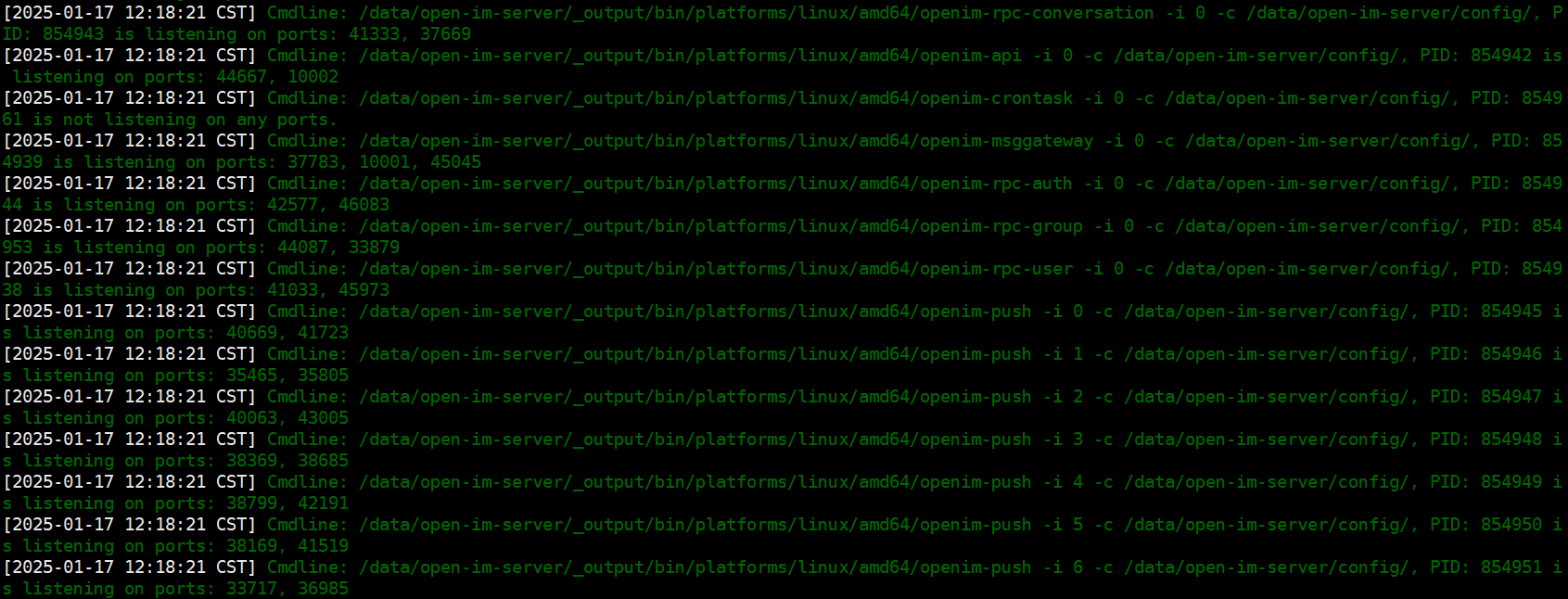
Find the specific service you want to debug, record its PID, and terminate that single process so the IDE can bind to its port:
   kill -9 854942          # Linux / macOS
taskkill /PID 854942 /F # Windows- Locate the service entry point: Service entry points reside under
open-im-server/cmd/. Foropenim-api, the entry point file isopen-im-server/cmd/openim-api/main.go.
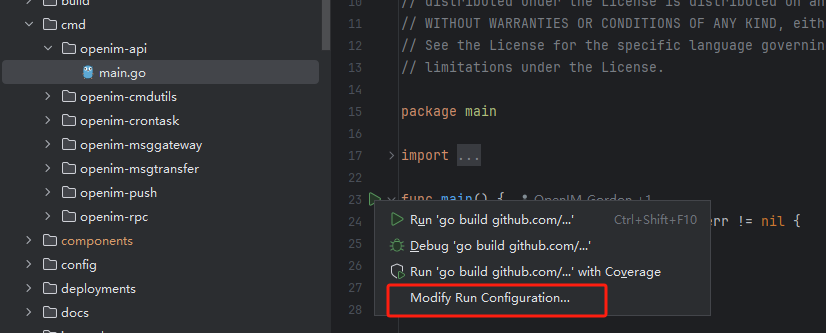
- Configure IDE run/debug profile: In GoLand, open
main.go, click the run icon in the gutter, and select Modify Run Configuration:
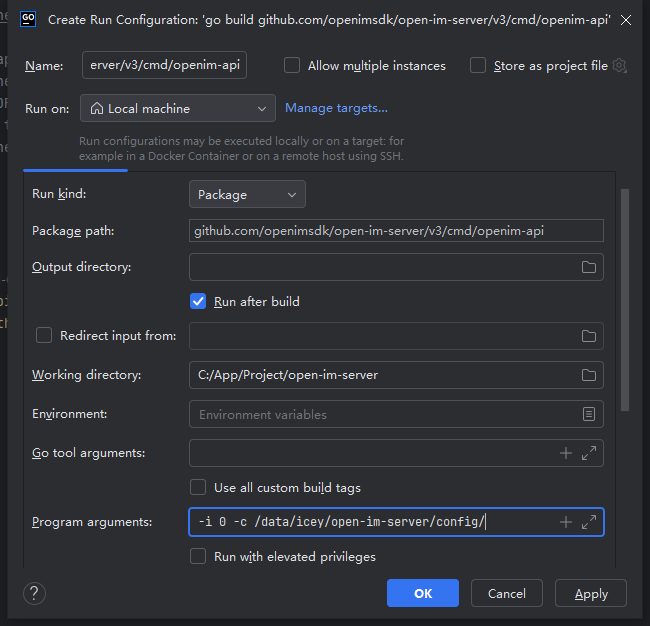
- Set program arguments: Extract the exact startup flags from the original terminal output (for example:
-i 0 -c /data/open-im-server/config/). Paste these flags into Program arguments and click OK:
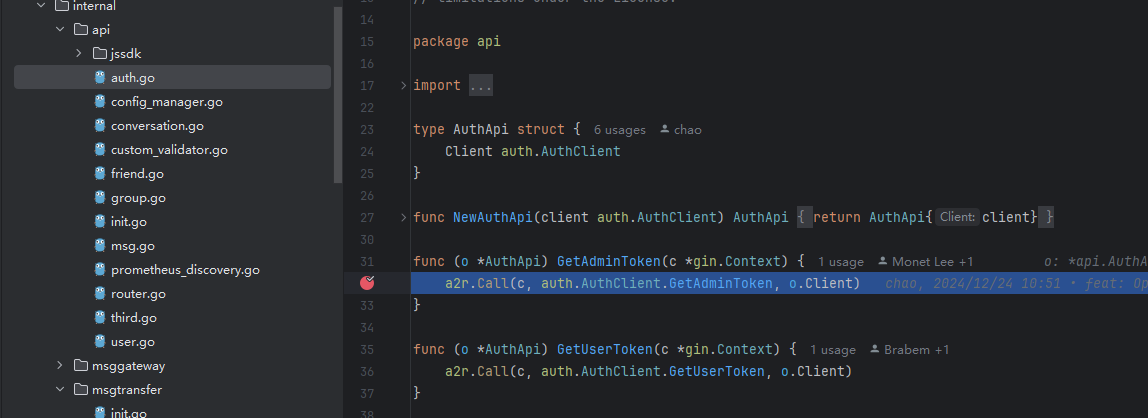
- Set breakpoints: Set breakpoints in the code path you want to inspect (such as an API route handler or RPC call).
- Launch the debugger: Start the application in Debug mode:
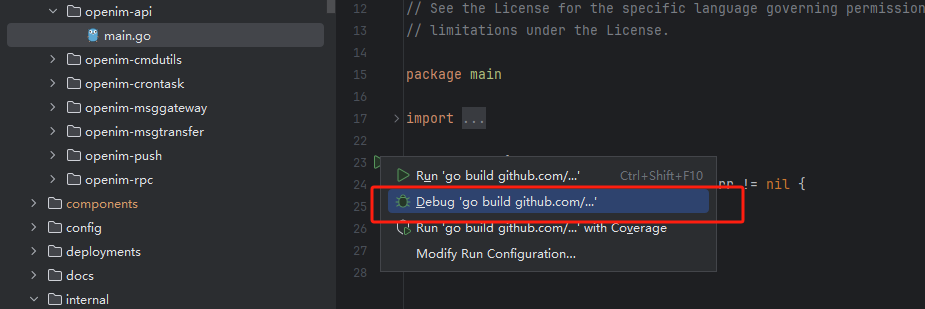
- Step through execution: Send an API request from your client or curl. When execution hits the breakpoint, use the debugger to inspect variables, call stacks, and goroutine states: